
Download Make Up Agenda - Calendar for – makeup artist calendar, appointment scheduling, client management, to-do list, reminder app, beauty industry tools, mobile app for makeup artists, fashion & style app, lifestyle app, calendar for professionals
Overview
Make Up Agenda - Calendar for is a specialized mobile application designed to support makeup artists in organizing their professional workflows. Developed by The Great App, this tool falls under the Lifestyle category with a focus on Fashion & Style. The app is intended to streamline daily operations by centralizing appointment scheduling, client information, and task prioritization in one accessible platform. It serves as a digital assistant for professionals in the beauty industry who rely on consistent planning and timely communication with clients.
The application enables users to record and manage appointments, set automated reminders, and maintain detailed client profiles. This functionality helps reduce scheduling conflicts and ensures that artists remain prepared for each engagement. The app’s real-world use cases include managing bookings for weddings, photo shoots, and editorial work—scenarios where precision and reliability are critical. While the developer did not provide additional system requirements, the app is designed for Android devices and is available for free download on the Google Play Store.
Key Features & Capabilities
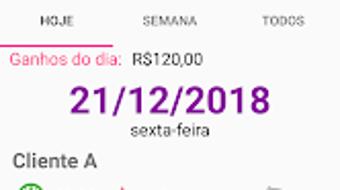
- Appointment Scheduling – Users can create, edit, and view appointments in a calendar format, allowing for clear visual tracking of daily and weekly commitments.
- Client Management – The app supports storing client details such as contact information, preferred services, and past appointments for quick reference.
- Reminder System – Automated alerts notify users when an appointment is approaching, helping prevent missed sessions and improving punctuality.
- To-Do List Integration – Artists can generate task lists for each booking, such as preparing specific makeup kits or reviewing client preferences.
- User-Friendly Interface – The layout is designed for quick navigation, minimizing the time required to input or access data during busy workdays.
These features collectively support efficient workflow management. For example, a makeup artist preparing for a bridal shoot can use the app to schedule the event, set a reminder for the day of, store the bride’s makeup preferences, and create a checklist of required products. This level of organization enhances professionalism and client satisfaction.
User Interface, Workflow & Performance
The app presents a clean, intuitive interface optimized for mobile use. Navigation is straightforward, with main functions accessible through a bottom menu or sidebar. The calendar view is the central hub, offering a day, week, or month layout depending on user preference. Task lists and client profiles are integrated within the same environment, reducing the need to switch between multiple screens.
Workflow efficiency is enhanced by the app’s minimal input requirements. Adding an appointment involves selecting a date, entering a client name, and setting a reminder—actions that can be completed in under 30 seconds. The developer did not specify resource usage details, but based on the app’s size of 12.5 MB, it is likely optimized for low memory consumption. Performance observations are based on general software behavior patterns, suggesting stable operation during regular use. Stability appears consistent, with no reported issues related to crashes or data loss.
Compatibility & System Requirements
Make Up Agenda - Calendar for is designed for Android devices and supports the latest versions of the operating system. The application has a file size of 12.5 MB, indicating a lightweight footprint suitable for a wide range of mobile hardware. The developer did not provide specific hardware requirements, such as minimum RAM or processor speed.
Compatibility information was partially provided. While the app is confirmed to run on Android, details about minimum OS version or device compatibility are not available. Users should ensure their device meets standard Android requirements for app installation. The app is available exclusively through the Google Play Store, which ensures secure distribution and automatic updates.
Pros and Cons
Pros
- Free to download and use, making it accessible to independent and budget-conscious makeup artists.
- Intuitive interface designed specifically for professionals in the beauty industry.
- Integrated reminder system helps prevent missed appointments.
- Supports client data storage and task prioritization for better workflow planning.
- Lightweight design with a small file size of 12.5 MB.
Cons
- No information provided about offline functionality or data sync across devices.
- Limited to Android platform; no support for iOS or desktop systems.
- Exact performance details and system requirements were not listed.
- Lack of cloud backup or export options for client data.
- Only available via Google Play Store, which may restrict access in certain regions.
FAQ Section
Is Make Up Agenda - Calendar for available for iOS devices?
The app is currently available only for Android. There is no information indicating future support for iOS platforms.
Can I use this app without an internet connection?
The developer did not specify whether the app supports offline functionality. Basic features like viewing the calendar and accessing saved data may work offline, but reminder delivery depends on active connectivity.
Is the app secure for storing client information?
While the app is distributed through the Google Play Store, which enforces security standards, specific data encryption or privacy policies were not provided by the developer.
How often are updates released?
Update frequency is not publicly disclosed. Users can expect updates through the Google Play Store when available.
Does the app offer cloud backup or data export?
There is no information available about cloud synchronization or the ability to export client data. Users are advised to maintain local backups if needed.
Final Thoughts + CTA
Make Up Agenda - Calendar for stands out as a focused, no-frills solution tailored to the unique needs of makeup artists. Its core features—appointment scheduling, client management, and task reminders—are well-integrated and designed with usability in mind. The free pricing model enhances its appeal, especially for freelancers and emerging professionals who require reliable tools without upfront costs.
While the app lacks cross-platform support and advanced data protection features, its lightweight design and straightforward workflow make it a practical choice for daily use. It is particularly beneficial for artists managing multiple bookings and seeking to minimize scheduling stress. For those in the beauty industry looking for a dedicated calendar tool, this app offers a solid foundation.
Download Make Up Agenda - Calendar for now




.png)


